🎯 Cowork Projects là gì?
Bạn đã dùng Cowork. Bạn thấy nó mạnh. Nhưng mỗi lần mở session mới, Claude quên sạch. Bạn phải giải thích lại context, upload lại file, nhắc lại quy tắc. Lần nào cũng vậy.
Anthropic vừa fix vấn đề đó. Projects giờ nằm ngay trong Cowork.
Hiểu đơn giản: Claude trước có 2 thứ tách rời nhau:
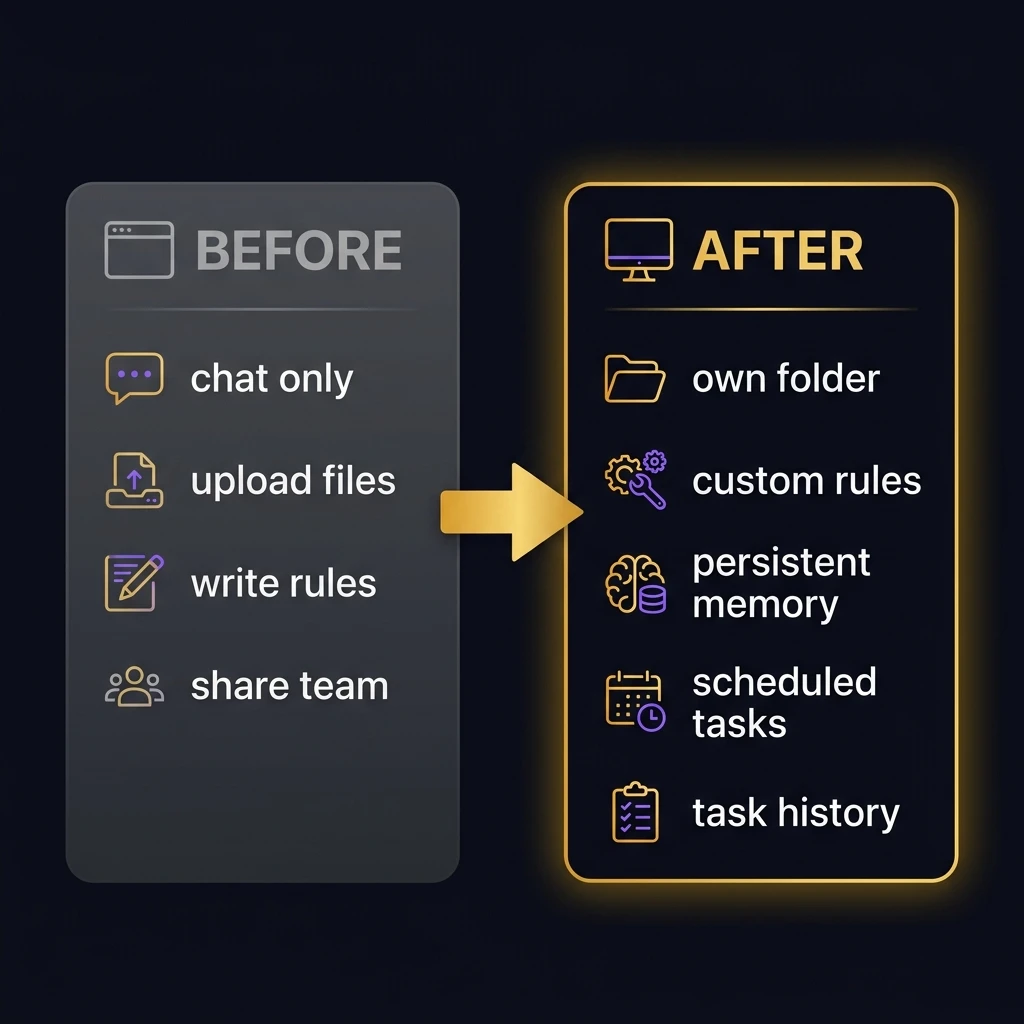
- Claude Projects (trên claude.ai) — Folder chat trên browser. Upload files, viết instructions, chia sẻ team. Nhưng không tạo file, không chạy code. Chỉ là chatbot có memory tốt hơn.
- Claude Cowork (desktop app) — Agent thực sự: đọc file, tạo documents, chạy code, hỏi bạn trước khi làm. Nhưng mỗi session là tờ giấy trắng.
Giờ: Cowork có Projects riêng. Mỗi Project là một workspace cố định với:
- Folder riêng — Claude đọc và ghi ở đây
- Custom instructions — tone, quy tắc, format, rào chắn
- Bộ nhớ liên phiên (Scoped Memory) — Claude nhớ những gì nó đã làm trong Project này
- Scheduled tasks — lên lịch công việc lặp lại
- Lịch sử task — mọi lần chạy đều được lưu locally
📬 Nhận hướng dẫn AI thực chiến mỗi tuần
Đăng ký miễn phí — mỗi tuần 1-2 bài như bài này, không spam.
🛠️ 3 cách tạo Cowork Project đầu tiên
Mở Claude desktop app → Sidebar trái → Projects → Bấm +. Bạn có 3 lựa chọn:
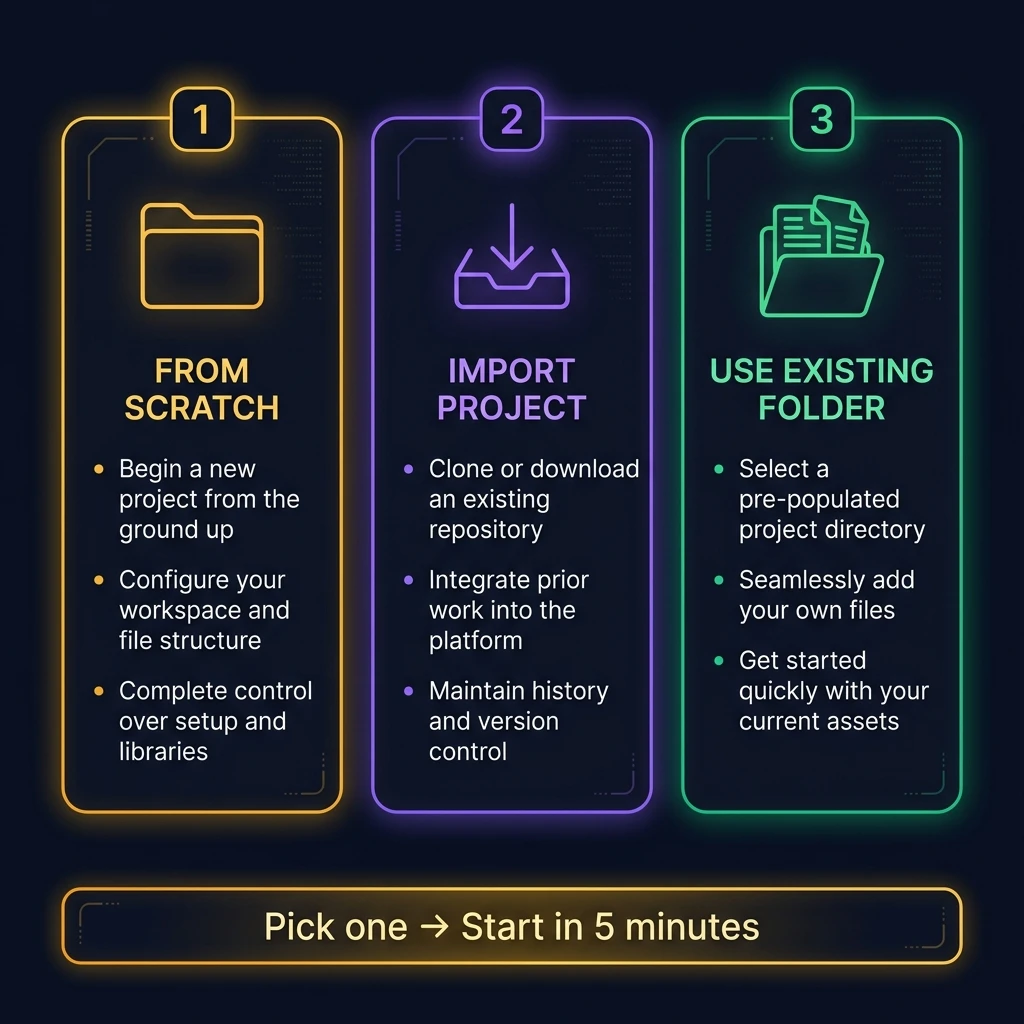
Tạo từ đầu (Start from scratch)
Khi nào: Workflow hoàn toàn mới.
- Tạo folder mới trên máy
- Cowork → Projects → + → Start from scratch
- Thêm instructions + files (about-me, templates, ví dụ)
- Đặt tên → Xong
Import từ Claude Project cũ
Khi nào: Bạn đã có Project trên claude.ai. Giờ chuyển sang Cowork để có sức mạnh thực thi.
- Cowork → Projects → + → Import a project
- Tìm Project cũ trên browser → Chọn
- Files và instructions tự động chuyển sang
- Chọn nơi lưu trên máy → Xong
Dùng folder có sẵn
Khi nào: Bạn đã có folder Cowork từ trước (theo bài Cowork guide). Chỉ cần "bọc" thêm Project để có memory + instructions.
- Chọn folder bạn đã có
- Đặt tên Project
- Thêm instructions + files bổ sung
Prompt setup cho mọi Project mới:
I just created this Project. Read every file in the folder.
Then summarize what you know about this workspace:
what's here, what I probably use it for,
and what instructions you'll follow.
If something is unclear, use AskUserQuestion.🔥 Thấy hay? Chia sẻ cho đồng nghiệp đang phải giải thích lại context cho AI mỗi ngày:
💼 4 workflow thực tế — copy nguyên
Đây là lý do Cowork Projects là game-changer. Setup 1 lần → chạy mãi mãi.
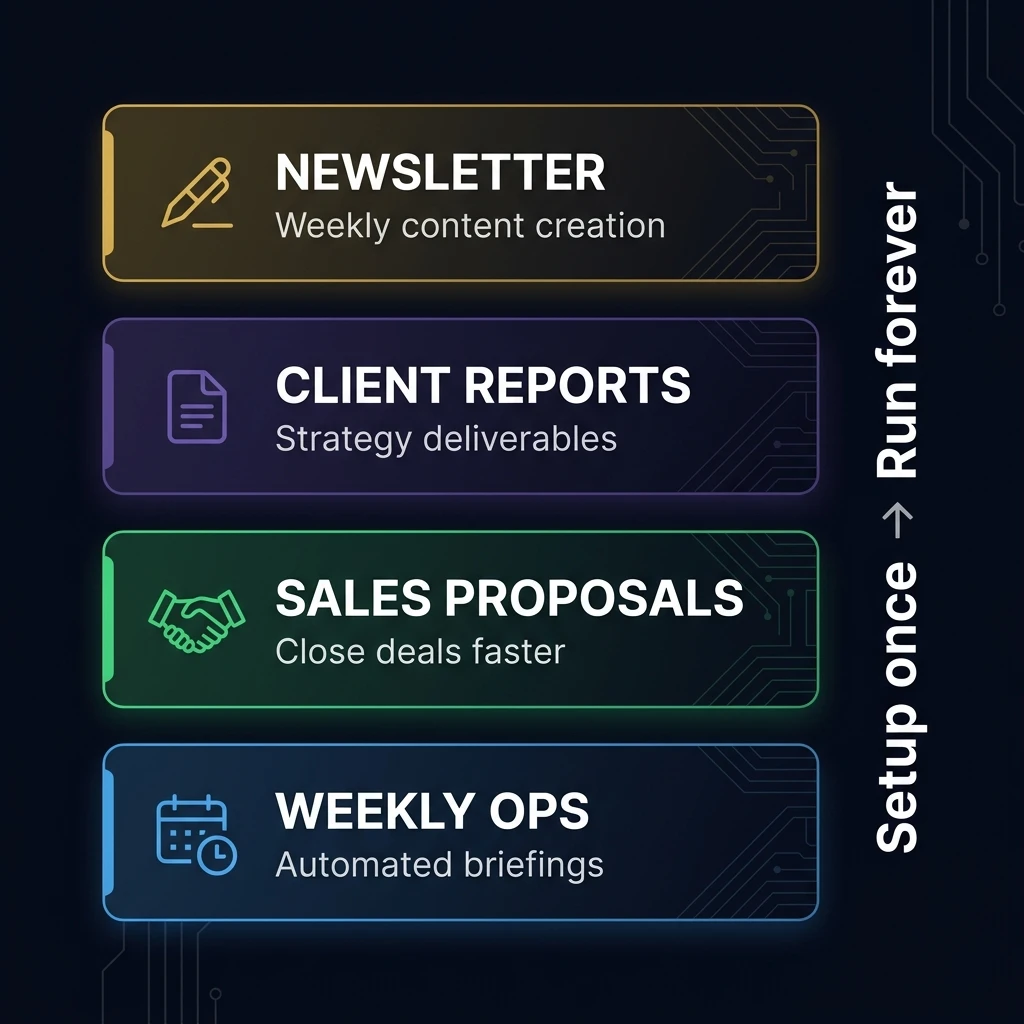
Folder chứa: about-me.md, anti-AI writing guide, 5 bài cũ hay nhất, tài liệu tham khảo.
Instructions:
Read ABOUT ME/ and anti-AI-writing-style.md before every task.
Match this voice exactly. Never use banned words.
Keep paragraphs under 3 sentences.
Always use AskUserQuestion before writing.
Prompt hàng tuần:
I want to write my next newsletter on [topic].
Start with AskUserQuestion to refine the angle
with me before you write anything.
Tại sao Projects: Voice + examples bền vì nằm cố định. Scoped Memory nghĩa là Claude học được góc nhìn nào hay theo thời gian. Trước: giải thích style mỗi session. Giờ: chỉ nói "Viết bài tiếp."
Folder chứa: Template báo cáo, 2 ví dụ hay, brief khách, tài liệu tham khảo.
Instructions:
Always include executive summary. Never exceed 15 pages.
Use client's terminology. Structure: exec summary →
findings → recommendations → next steps → appendix.
Output .docx. Ask questions first.
Prompt: Khách gửi brief → bạn bỏ vào folder → gõ: "New client brief just dropped. Read it. Create strategy report. Ask me questions first."
Tại sao Projects: Template + ví dụ là context cố định. Đến lần báo cáo thứ 3, Claude đã biết format và mức detail bạn muốn. Nó tốt lên mỗi lần dùng.
Folder chứa: Bảng giá, 3 proposal đã thắng deal, case studies, playbook xử lý từ chối, ghi chú discovery call.
Instructions:
Always lead with the prospect's pain point.
Never mention competitors by name.
Always end with proposed timeline.
Match tone of winning proposals. Output .docx.
Ask clarifying questions first.
Flow: Sales rep xong discovery call → thả notes vào folder → Claude đọc notes + proposals cũ → hỏi "Budget range? Timeline? Main competitor?" → tạo proposal .docx.
Tại sao Projects: Playbook + examples nằm vĩnh viễn. Claude học được ngôn ngữ nào chốt deal theo thời gian.
Folder chứa: 4 báo cáo tuần gần nhất (để Claude thấy pattern), template 1 trang, raw inputs từ team leads.
Instructions:
Every Monday, combine raw inputs into one executive briefing.
Format: 1-page max. Sections: wins, blockers,
priorities next week. Flag blockers appearing
in more than one team. Output .docx.
Scheduled task: Mỗi thứ Hai 8h sáng, Claude tự chạy → đọc inputs → tạo briefing → lưu vào folder. Bạn thức dậy → báo cáo đã chờ sẵn.
Tại sao Projects: Scoped memory = Claude nhận ra patterns: "Đây là tuần thứ 3 liên tiếp team engineering flag hiring delays." Trước cần chief of staff. Giờ là 1 scheduled task.
🎁 Tải miễn phí: "7 Claude Skills tôi dùng mỗi ngày"
Ebook PDF — 7 Skills thực chiến giúp tiết kiệm 5-10 giờ/tuần.
🔄 Projects cũ vẫn cần — khi nào?
Cowork Projects mạnh hơn cho thực thi. Nhưng Projects cũ (trên claude.ai) vẫn thắng ở 1 điểm: chia sẻ team.
Cowork Projects là local — nằm trên máy bạn. Chưa chia sẻ được cho 10 teammates. Cho nên nếu cả team cần cùng instructions + files → vẫn dùng Projects cũ.
→ Claude Projects (browser) = Playbooks chia sẻ team. "Source of truth" mọi người dùng chung.
→ Cowork Projects (desktop) = Workspace cá nhân. Nơi thực sự sản xuất. Import team Projects vào để có instructions + sức mạnh thực thi.
Khi Anthropic thêm team sharing cho Cowork → Projects cũ thành thừa. Nhưng chưa phải hôm nay.
🔥 Bài viết này giúp bạn? Chia sẻ cho đồng nghiệp cũng đang dùng Claude:
⏱️ Setup Cowork Project trong 15 phút
Dành 15 phút cuối tuần. Chỉ cần làm đúng 4 bước:
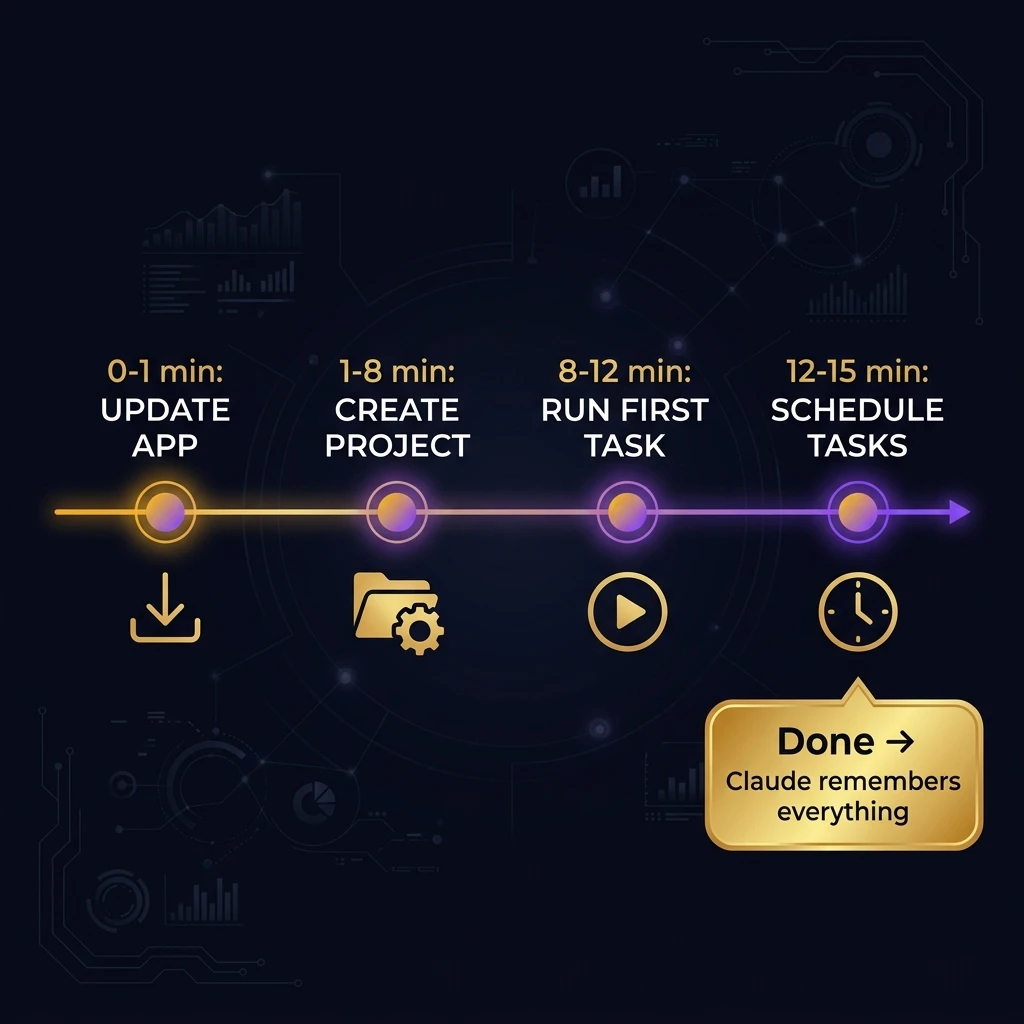
→ Chắc chắn bạn đang dùng phiên bản mới nhất. Feature Projects chỉ có từ bản March 2026.
→ Kiểm tra ở góc dưới bên trái (cạnh tên bạn).
→ Chọn 1 task lặp lại hàng tuần (báo cáo, proposal, newsletter, client update).
→ Cowork → Projects → + → Chọn 1 trong 3 cách.
→ Nếu đã theo bài Cowork guide → chọn folder có sẵn, thêm instructions.
→ Tạo mới? Tạo folder + about-me.md + templates.
→ Viết instructions. Ngắn thôi. 5-8 dòng max.
→ Mở Project → Gõ:
Read everything in this folder. Then [task của bạn].
Start with AskUserQuestion so we align before you execute.
→ Xem Claude đọc files → sản xuất kết quả. Trong 1 workspace nhớ mọi thứ.
→ Nếu task lặp lại hàng tuần → setup:
→ Project → Scheduled tasks → New → Viết prompt → Chọn tần suất.
→ Claude chạy tự động vào giờ bạn chọn. App phải mở.
⚠️ Giới hạn — nói thật 100%
- Chưa chia sẻ team. Cowork Projects nằm trên máy bạn. Không share cho teammates. Cho team workflows → vẫn cần Projects cũ. Anthropic nói team sharing sắp có.
- Chỉ local. Không cloud sync. Dùng 2 máy → không access cùng Project. Mobile task assignment (qua Dispatch) hoạt động, nhưng files + memory nằm trên desktop.
- Tốn usage nhanh. 1 session Cowork Project = 20+ chats thường. Scoped memory đáng giá, nhưng plan Pro ($20/tháng) sẽ hết nhanh. Cân nhắc Max ($100/tháng).
- Vẫn Research Preview. Claude có thể đọc nhầm file, chọn approach lạ. Luôn review trước khi gửi khách.
- App phải mở. Đóng app = scheduled tasks dừng. Cowork chỉ chạy khi app đang mở + máy không sleep.
- Memory scoped — ưu và nhược. Claude nhớ mọi thứ trong Project, nhưng không nhớ across Projects. Project "Newsletter" không biết Project "Sales" học được gì. Đó là cố ý (isolation). Nhưng đôi khi bạn muốn nó kết nối.
📖 Đọc tiếp — bài liên quan
1📬 Đừng bỏ lỡ bài tiếp theo!
Mỗi tuần Steve chia sẻ 1-2 bài hướng dẫn AI thực chiến. Subscribe ngay.
📝 Bài viết gốc: Claude Cowork + Project. — Ruben Hassid
🇻🇳 Bản Việt hóa & minh họa: Steve Phan × Max AI Agent (Tháng 4/2026)
🎨 Hình ảnh minh họa được tạo để phục vụ cộng đồng AI Việt Nam.